
Once products are uploaded into Proton PIM, they can be exported for use in other systems. Exports ensure that downstream teams and tools receive consistent, verified product information.
What Can Be Exported
You can export:
- Individual products
- Groups of products filtered by category, brand, or other attributes
- Your full product list
Exports are generated as structured CSV files.
What’s Included in an Export
Exported files may include:
- Enriched product names
- Short and long descriptions
- Manufacturer and brand information
- Technical specifications
- Categories and taxonomy data
- Custom attributes defined in your catalog
The export structure reflects your configured catalog schema to ensure consistency across systems.
How to Export Products
To export products from Proton PIM:
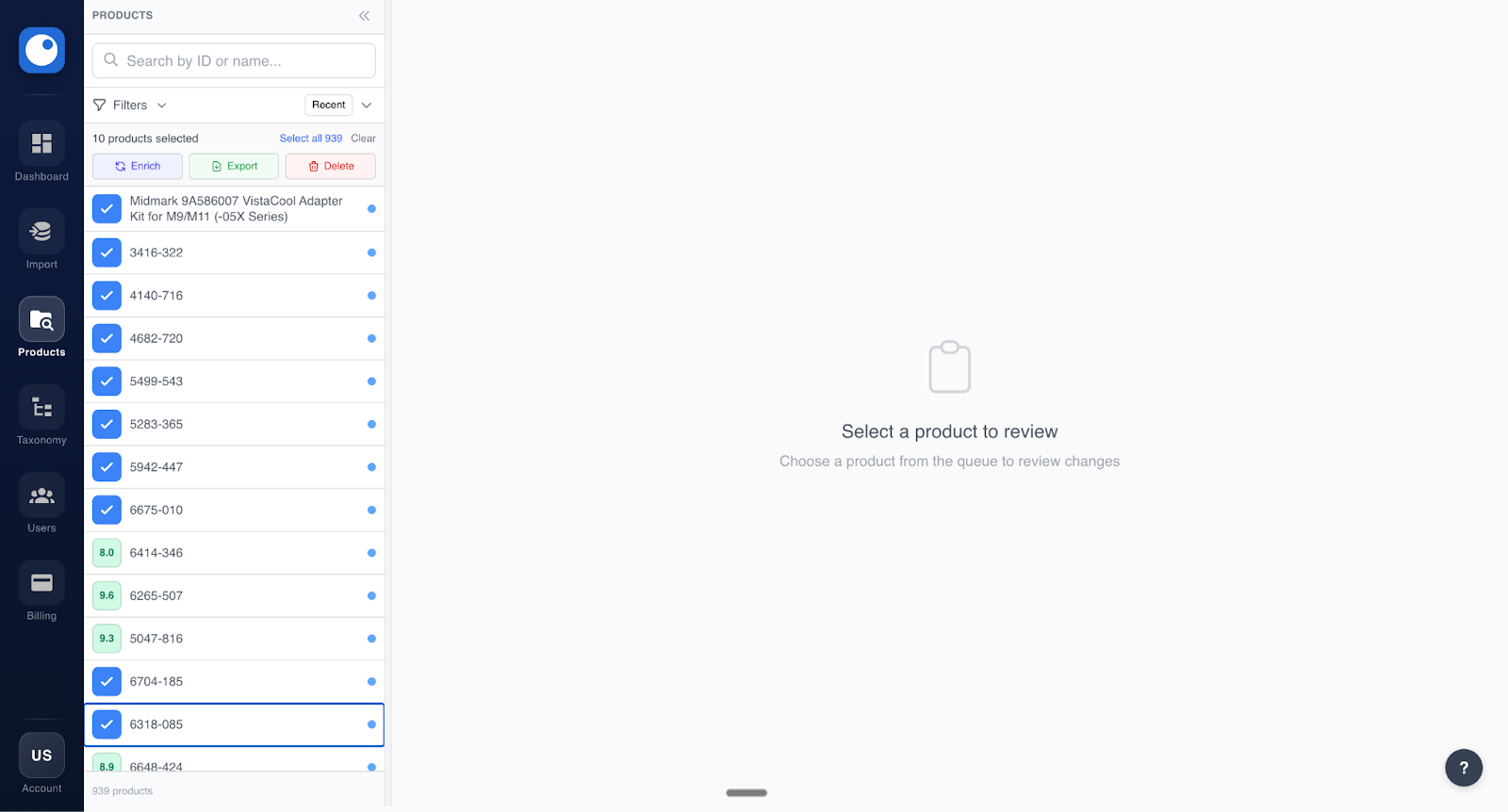
- Navigate to the Products page
- Filter product catalog and select products for export by clicking on the left side of the product (or click select all once you’ve selected one product!)
- Click Export
- Select which field to include in the export
- Download the generated CSV file
When to Use Exports
Exports are commonly used to:
- Share product data with other teams
- Upload product data into ERPs or ecommerce platforms
- Validate enriched data against existing systems
- Support reporting or audits
After exporting product data, it can be used across your broader business systems.